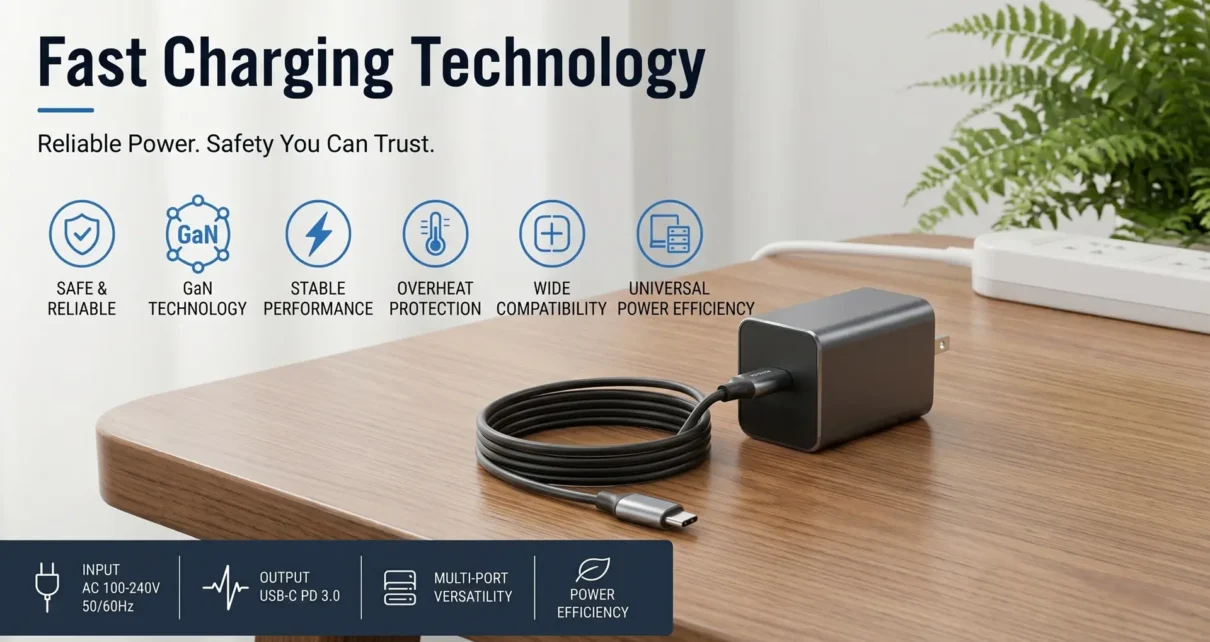
Pull open any desk drawer in any household, and you’ll find a tangle of charging bricks. Big ones, small ones, that mysteriously heavy one from a laptop you replaced three years ago. Most people never think twice about them. You plug something in, it charges, life goes on.
But charging technology has changed more dramatically in the last five years than in the previous twenty, and the gap between a modern charger and that old brick in your drawer is wider than most consumers realize. We’re not talking about minor spec bumps. The fundamental architecture of how power moves from your wall outlet to your device has been rethought from the ground up , and if you’re still using whatever adapter came in a box years ago, you’re probably charging slower, less efficiently, and with more wasted energy than you need to be.
Here’s what’s actually happening in the charging space and why it’s worth paying attention to.
Fast Charging Isn’t a Gimmick Anymore
Early fast charging felt like a marketing checkbox. Manufacturers would slap a “fast charge” label on anything that pushed slightly more current than the old 5V/1A USB standard, and real-world results varied wildly. Phones got warm, Chargers got hot and the actual speed improvement was often underwhelming once you factored in how quickly the charging rate throttled back as the battery filled up.
That era is over. Modern fast charging protocols, USB Power Delivery (USB-PD), Qualcomm Quick Charge 5.0, and various proprietary standards from companies like OPPO and Xiaomi , are genuinely sophisticated systems. They negotiate voltage and current dynamically between the charger and the device, adjusting power delivery in real time based on battery temperature, state of charge, and thermal headroom.
The practical difference is significant. A current flagship phone on a proper fast charger can go from dead to fifty percent in under twenty minutes. Some push past that. Laptops that once required bulky proprietary adapters now charge over USB-C at 100 watts or more. Gaming handhelds like the Steam Deck and ROG Ally draw meaningful power from compact USB-C chargers that would have seemed implausible just a few years ago.
But here’s the part most people miss: fast charging only works as well as your weakest link. A phone capable of 65-watt charging paired with a 10-watt adapter from 2018 charges at 10 watts. The device can only take what the charger can give.
Related Articles:
- Just Got a New iPad? What Are the First 10 Apps You Should Install?
- Electronics Insurance: When It’s Worth Covering Your Gadgets
- Beyond Pixels: A Definitive Guide to the Dell Monitor Ecosystem
- How to Build a Reliable Custom Drone Controller on a Budget
- Why Tech Gift is the Ultimate Choice for Your Partner
Understanding Wattage: The Number That Actually Matters
Wattage confuses people, and that’s partly the industry’s fault. Between volts, amps, watts, and protocol names, the average consumer is drowning in specs they never asked for.
Here’s the short version. Watts equal volts multiplied by amps. That’s it. Wattage is the measure of how much power is being delivered at any given moment. A 20-watt charger delivers less power than a 65-watt charger, and your device charges proportionally slower.
The more nuanced question is what wattage fast charging actually requires for a given device. Most modern smartphones hit their fast charging threshold somewhere between 18 and 25 watts. Anything below that and you’re in standard charging territory , functional, but slow by current standards. Laptops typically need 45 to 100 watts depending on screen size and processor. Tablets sit somewhere in the middle.
Where this gets practical: if you’re buying one charger and you want it to handle your phone, tablet, and a lightweight laptop, you’re looking at a minimum of 65 watts. That single number tells you more about real-world performance than any marketing language on the box.
Plenty of multi-port chargers now offer 65 to 140 watts of total output, intelligently distributed across devices. Plug in just your phone, and it gets the full power budget. Plug in a phone and a laptop simultaneously, and the charger splits the available wattage between them. It’s a smarter approach than carrying three separate bricks, and for most people, one good multi-port charger replaces everything in that drawer.
GaN Changed the Hardware Game
If you’ve shopped for chargers recently, you’ve probably seen “GaN” plastered across packaging. Gallium nitride. It sounds like something from a chemistry exam, but it’s the single biggest material advancement in charger design in decades.
Traditional chargers use silicon-based transistors. They work fine, but silicon has physical limitations in how efficiently it switches power at high frequencies. That inefficiency generates heat, and heat requires larger components and more thermal mass to manage safely. It’s why your old laptop brick was the size of a paperback novel and warm enough to keep your coffee from going cold.
Gallium nitride transistors switch faster and waste less energy as heat. That means charger designers can push more power through smaller components without the thermal penalty. The result is obvious the moment you hold a modern GaN charger next to an old silicon one , a 65-watt GaN adapter can be smaller than an old 30-watt silicon brick. Some 100-watt GaN chargers are barely larger than what Apple used to ship with the iPhone.
This isn’t just a convenience improvement. Smaller chargers with less heat output are inherently more efficient, which means less electricity wasted during every charging session. Across millions of devices charged daily, that efficiency gain adds up to meaningful energy savings. It’s one of those rare cases where the better product for the consumer is also the better product for the grid.
The AC-to-DC Conversion Most People Never Think About
Every charger is fundamentally a converter. Your wall outlet delivers alternating current. Your devices run on direct current. The charger’s job is to make that conversion as cleanly and efficiently as possible while stepping the voltage and current to levels the device can safely accept.
Cheap chargers do this conversion poorly. They waste more energy as heat, they produce noisier power output with more voltage ripple, and they often lack proper protection circuits for overcurrent, overvoltage, and short-circuit scenarios. You’ve probably encountered a bad one , the charger that makes your phone’s touchscreen behave erratically while plugged in, or the one that makes an audible whine under load. Those are symptoms of sloppy power conversion.
A quality ac dc power adapter handles this conversion with tighter voltage regulation, cleaner output, and robust safety circuitry. The difference isn’t always visible on the outside, but it shows up in charging consistency, device battery health over time, and basic electrical safety. This is especially relevant for devices you charge overnight , eight hours connected to a charger with poor voltage regulation is eight hours of stress on your battery’s chemistry.
For anyone powering equipment beyond phones and laptops , network gear, LED lighting systems, monitoring equipment, audio interfaces , the quality of AC-to-DC conversion matters even more. Sensitive electronics are less forgiving of noisy power, and investing in a properly engineered adapter pays dividends in equipment longevity and reliability.
USB-C Consolidation Is Finally Happening
For years, the promise was a single cable standard that would handle everything. USB-C was supposed to be that standard, and after a rocky start marked by confusing cable capabilities and inconsistent power delivery support, it’s finally getting there.
The European Union’s common charger directive pushed the timeline forward, requiring USB-C across most consumer electronics sold in the EU by the end of 2024. Apple’s switch from Lightning to USB-C across the iPhone lineup removed the last major holdout. And USB-PD 3.1, which supports up to 240 watts over USB-C, means even high-performance laptops and gaming machines can move to the standard without compromising on power delivery.
What this means practically is that the era of proprietary charging ecosystems is winding down. A single well-chosen USB-C charger and a couple of good cables can handle your phone, tablet, laptop, earbuds, handheld gaming device, and increasingly, your peripherals too. The drawer full of mismatched bricks becomes unnecessary.
That said, cable quality matters more than ever. Not all USB-C cables support the same power levels or data speeds. A cable rated for 60 watts won’t deliver 100 watts regardless of what charger you connect. When buying cables for high-wattage charging, look for cables explicitly rated for the power level you need , the markings should be on the packaging or in the product specs.
Choose Wisely When Buying a Charger
Strip away the marketing and focus on what impacts your daily experience.
First, match the wattage to your highest-demand device. If your laptop draws 65 watts, that’s your floor. Going slightly above , say, a 100-watt charger , gives you headroom for future devices and multi-port sharing without throttling.
Second, look for USB-PD support. It’s the closest thing to a universal fast charging standard, and it’s supported by Apple, Samsung, Google, most laptop manufacturers, and the Switch and Steam Deck. Proprietary fast charging protocols are increasingly converging with USB-PD anyway.
Third, check for safety certifications. UL listing, FCC compliance, and CE marking aren’t exciting, but they indicate the product has passed independent safety testing. Uncertified chargers from unknown manufacturers are a genuine risk , electrical fires from faulty chargers are not hypothetical.
Fourth, consider GaN if portability matters to you. The size and weight savings are real and meaningful if you travel or carry your charger daily.
The Bottom Line
Charging technology is one of those spaces where the products have gotten dramatically better, but consumer awareness hasn’t kept pace. Most people are still using underpowered, oversized, inefficient chargers out of habit , not because better options don’t exist, but because they never thought to look.
A single modern charger, properly matched to your devices, can replace half the adapters you own, charge everything faster, run cooler, waste less electricity, and take up a fraction of the space. That’s not an upgrade you’ll think about every day. But it’s one you’ll notice every time you unplug a fully charged laptop thirty minutes earlier than you expected, or pack a charger that actually fits in your bag without rearranging everything else.
The old bricks had their day. The new stuff is genuinely better, and it’s worth five minutes of your time to catch up.
Just Got a New iPad? What Are the First 10 Apps You Should Install?
Beyond the Pixel: The Definitive Guide to the Dell Monitor Ecosystem
Electronics Insurance: When It’s Worth Covering Your Gadgets

